HP Spectre Tablet Mode: Bridging Niri, CachyOS, and Waydroid
- tags
- #Linux #Cachyos #Niri #Waydroid #Automation
- categories
- Engineering Homelab
- published
- reading time
- 3 minutes
Automating tablet mode detection to trigger an Android UI on a Linux 2-in-1 device.
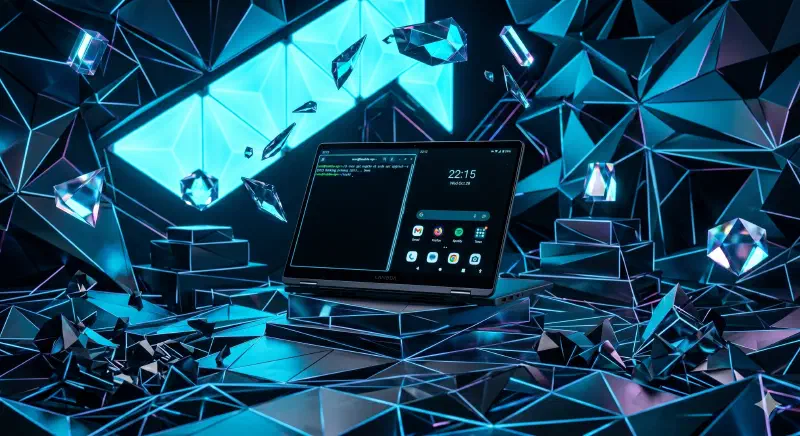
The Motivation
I bought one of those 2-in-1 laptops a few years ago, an HP Spectre specifically. It came with Windows by default, which was fine until I decided I was on a crusade against using Windows on any of my screens in silent protest of it just being bad.
While I’ve fallen in love with using Niri and CachyOS on all my machines, there was one particular problem on my probably overkill 2-in-1, tablet mode no longer really worked :’(. Niri is incredibly fast and keyboard-centric, but it isn’t exactly designed for touch.
I played around with virtual keyboards and all, but it never felt right and Niri didn’t play nice with general swiping gestures. Fortunately I know of a touch specific OS that works great on Linux, so I figured why not just use that instead, or at least when in tablet mode.
So after some tinkering we came to this solution - launch a touch-native interface like Android via Waydroid whenever the screen is folded back.
Architecture & Tech Stack
To build this bridge between hardware events and the display server, I used the following:
intel_vbtn: The kernel module required to let the OS know when the Spectre enters tablet mode.iio-sensor-proxy&rot8: The daemon and bridge needed to read the accelerometer and rotate the Wayland display automatically.- Waydroid: A container approach to boot Android on Linux to give me an actual usable tablet interface.
libinput& Bash: A quick script to listen to the hardware events and launch everything dynamically.
Development Process & Challenges
I employed the powers of AI, Google, and some good ol’ trial and error to piece together this stack.
1. Hardware Event Detection
HP Spectres need the intel_vbtn driver to recognize the tablet mode switch.
# Load the driver manually to test
sudo modprobe intel_vbtn

# Persist the module on reboot
echo "intel_vbtn" | sudo tee /etc/modules-load.d/intel_vbtn.conf
2. Sensors & Screen Rotation
Install the bridge between your accelerometer and the display.
sudo pacman -S iio-sensor-proxy
sudo systemctl enable --now iio-sensor-proxy

# Install rot8 to handle the Wayland screen rotation
paru -S rot8
3. The Touch Payload (Waydroid)
Since Niri isn’t a touch UI, we drop into Android for tablet tasks using Waydroid.
sudo pacman -S waydroid

# Initialize Waydroid with Google Apps support
sudo waydroid init -s GAPPS -f
4. The Automation Script
This script listens for the specific string reported by the Spectre’s sensors and will auto launch Waydroid when in tablet mode.
File: ~/bin/tablet-mode.sh
#!/bin/bash
# Listen for the specific tablet switch event
libinput debug-events | while read -r line; do
  if echo "$line" | grep -q "switch tablet-mode state 1"; then
    # Tablet mode activated
    waydroid show-full-ui
  elif echo "$line" | grep -q "switch tablet-mode state 0"; then
    # Tablet mode deactivated
    waydroid session stop
  fi
done
5. Niri Integration
Add these to your ~/.config/niri/config.kdl to automate the whole stack on startup.
spawn-at-startup "rot8"
spawn-at-startup "/home/shinda/bin/tablet-mode.sh"
What’s Next
The setup works surprisingly well for now. The next iteration will probably involve finding a way to completely suspend Waydroid when I leave tablet mode just to ensure Android background processes don’t drain the battery when I am back to using it as a laptop.
This article was originally published on ShindaSingh.com. Join the conversation there!