Keepsake: Saving Your Children’s Memories from Brightwheel
- tags
- #AI #Go #Wails #Vue #Automation
- categories
- Engineering Portfolio
- published
- reading time
- 4 minutes
Keepsake is a friendly, cross-platform desktop application designed to help parents easily download their children’s photos and videos from Brightwheel. It automatically handles session capture, deduplication, legacy migrations, and EXIF metadata restoration in a clean, local-first utility.
The Motivation
One of the cool things that we as parents get that my parents never did is the added visibility into our kids’ lives while at school. Apps like Brightwheel have been great for schools to share photos and messages, and we always get a kick out of all the pictures we see.
For the last few years, (while they’ve been attending school), it was never really big consideration that we’d want them saved locally. However, now that they’re leaving, I’ve had the digital hoarding itch to make sure I have a copy of em on my own drives.
The unfortunate part is these apps don’t make it easy to get the images out. At least not yet. After a few years of school, there are just way too many pics to spend the entire night downloading them manually from the website.
Fortunately, with a few JS console commands and some API parsing, I was able to quickly loop over and download them for myself. But lately, I’ve adopted a bit of a mantra: If you need it, there’s likely others who could use it also.
So that’s where Keepsake comes in. This was a little utility knife tool I built with the likes of Kimi 3 and Kilo, coupled with a deep dive in the Chrome Developer Console, to make it seamless for any parent to quickly download their children’s photos in bulk. Nothing is stored in the cloud; it runs entirely locally, routing a local proxy to securely capture cookies without saving them.
While in the past, the thought of dedicating a weekend to this sidequest would have seemed too daunting or fraught with the, “Why? You got what you needed, move on”, voice in my head, the ability to code like a 20-year-old on Adderall with some prompting and general AI guidance makes it possible for me to build and share these solutions with others.
Hopefully, someone else finds this tool as useful as my wife did!
Architecture & Tech Stack
Instead of a heavy web-scraper or interactive CLI, Keepsake is built as a lightweight, cross-platform desktop application. With the goal that any parent, regardless of technical ability, is able to download and store their kids’ images.
- The Engine: A native Go backend leveraging Wails v2 to bind backend logic directly to a web-based view. I wanted something smaller than Electron apps and I’ve been aiming to get better with Go lately, so this seemed like a good place to start.
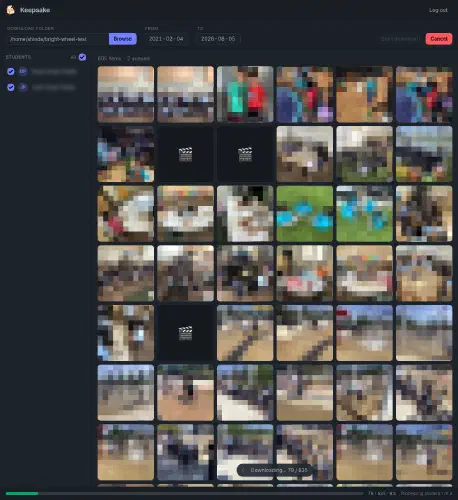
- The Interface: A responsive Vue 3 dashboard styled with Tailwind CSS and daisyUI that displays progress bars, active download logs, and a real-time photo grid gallery. I still think Vue > React. It’s my favourite frontend framework.
- The Auth Capture: An internal, local reverse proxy that captures secure session cookies during a normal, browser-based Brightwheel login flow, bypassing the need to store passwords or manage complex MFA challenges manually.
- The Metadata Polish: A pure-Go EXIF writer that automatically writes original timestamp metadata and activity descriptions directly into the downloaded image headers. Downloading images is nice, downloading images with their original creation timestamps and descriptions is even nicer.
Development Process & Challenges
The core challenge was navigating security constraints. Since Wails v2 doesn’t expose low-level APIs for intercepting cookies from a standard Webview, I had to build a tiny custom proxy inside the Go backend. When you log in, the proxy intercepts the Brightwheel session cookies securely and immediately redirects you to the main dashboard interface.
Additionally, because we wanted to keep the application lightweight and written in pure Go, rather than calling out to external dependencies like exiftool, Keepsake implements its own binary-level JPEG EXIF metadata injection.
This tool exists simply because parents currently lack an official way to export their children’s daily memories in bulk. We would love nothing more than for this project to be made happily obsolete by Brightwheel offering an official direct download option!